
GitBrowser for Linux
We are bringing GitBrowser’s multi-repository workflow to Linux with a native GTK user interface and the same shared Git foundation used on Mac and Windows.
The goal is a focused Linux desktop app that keeps repository navigation, changelogs, commit details, diffs, staging, and CodeBot-assisted workflows together without feeling like a port of another platform’s UI.
Native GTK Interface
A Linux desktop experience built with GTK, with platform-specific UI around GitBrowser’s shared workflow.
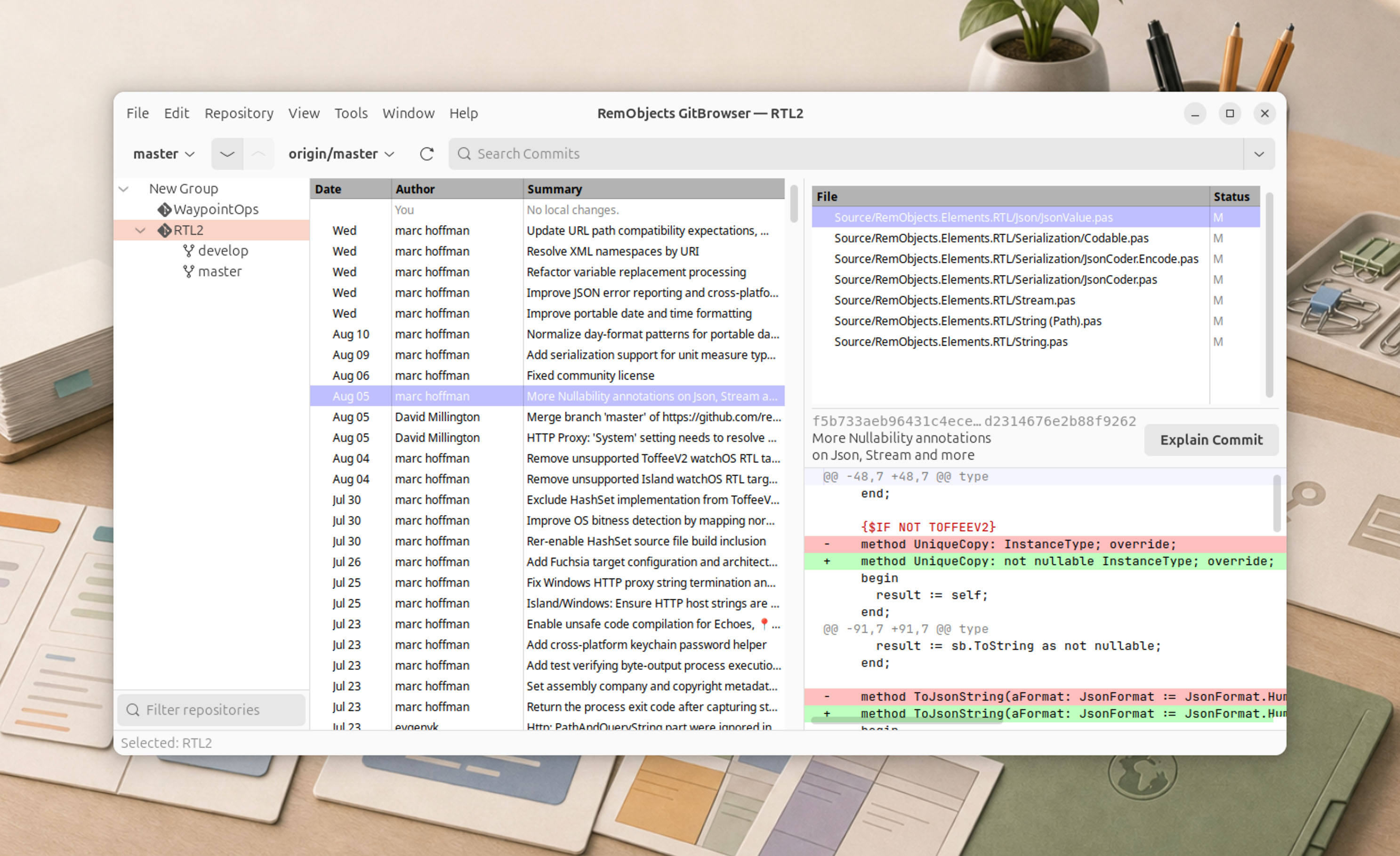
Repository Overview
Organize the repositories you use most and move between projects without rebuilding your context.
History and Diffs
Follow commits, branches, merges, tags, and file changes in a clear three-pane layout.
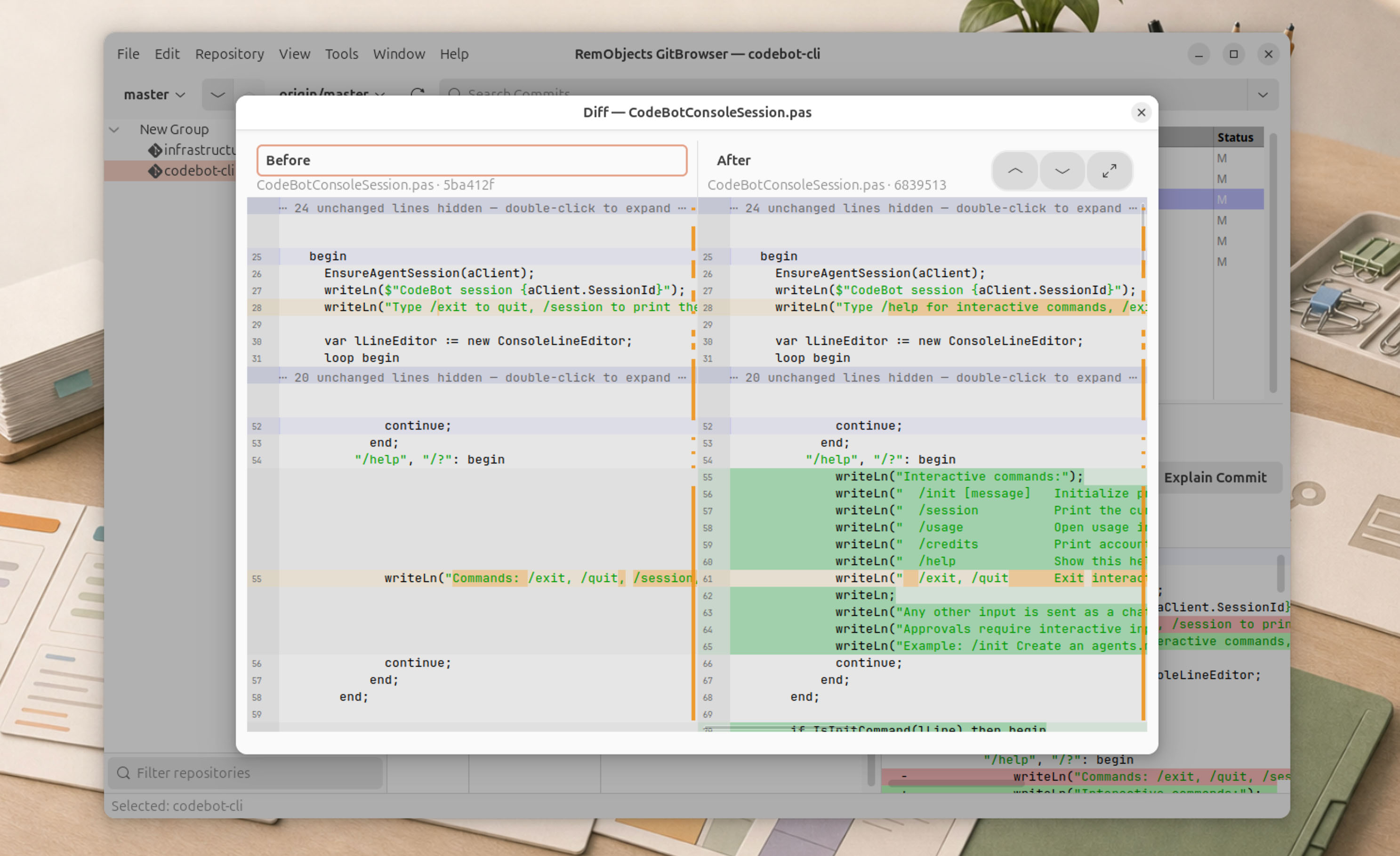
Integrated Diff and Merge
...
Third-Party Tools
Integrates with common Linux diff tools such as Meld, Kdiff3 and BeyondCompare.
GitHub and GitLab
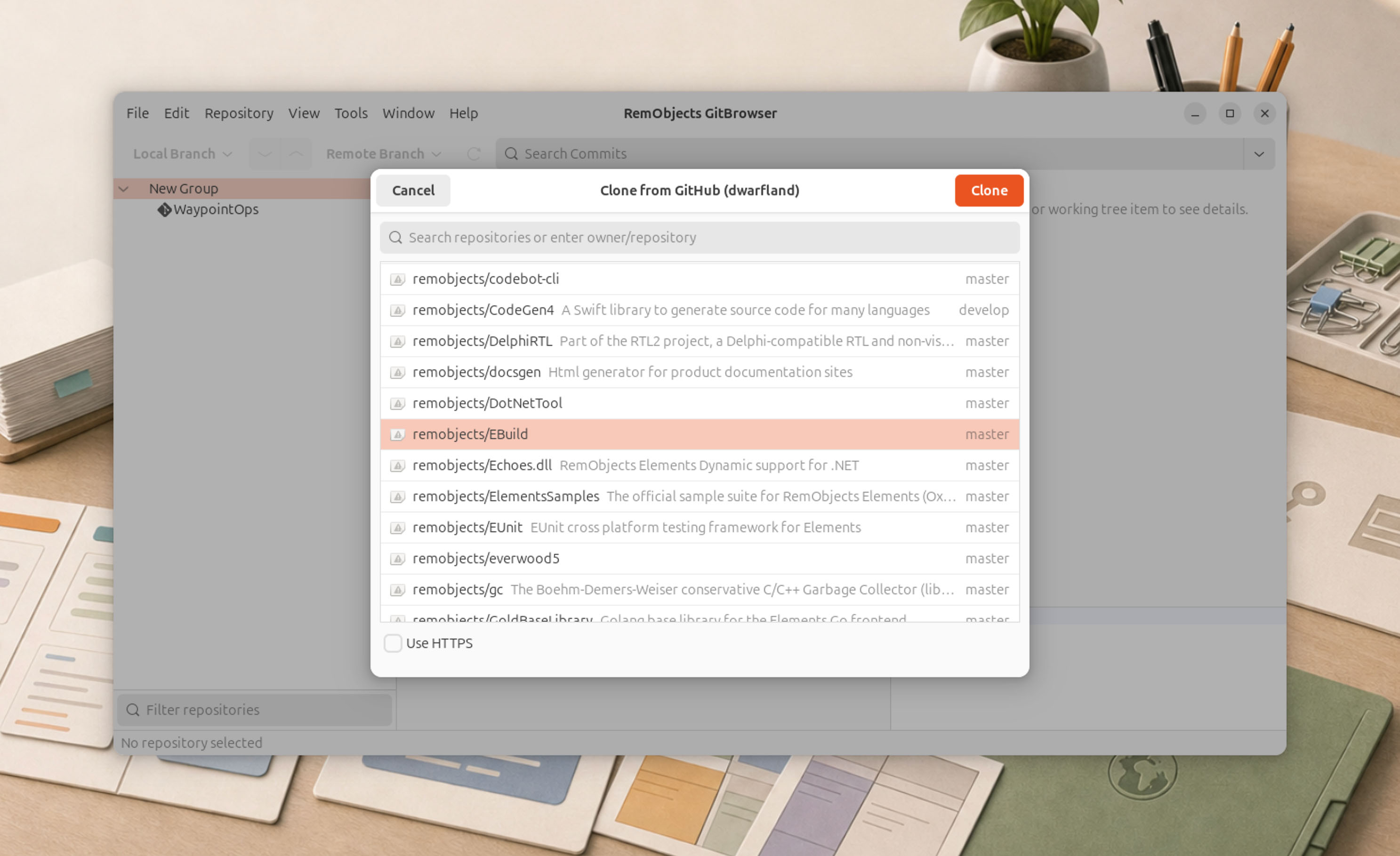
Connect your online git accounts, and clone or publish repositories right from the comfort of GitBrowser.
CodeBot Intelligence
GitBrowser integrates CodeBot, to bring intelligence to your day-to-day got worlkflow.
Connect a custom API key, your Codex account, or CodeBot Server.
Draft Commit Messages
Simply stage your files, and CodeBot will draft a suitable commit sumamry for you.
Commit as suggested, adjust it as needed, or replace it with your own.
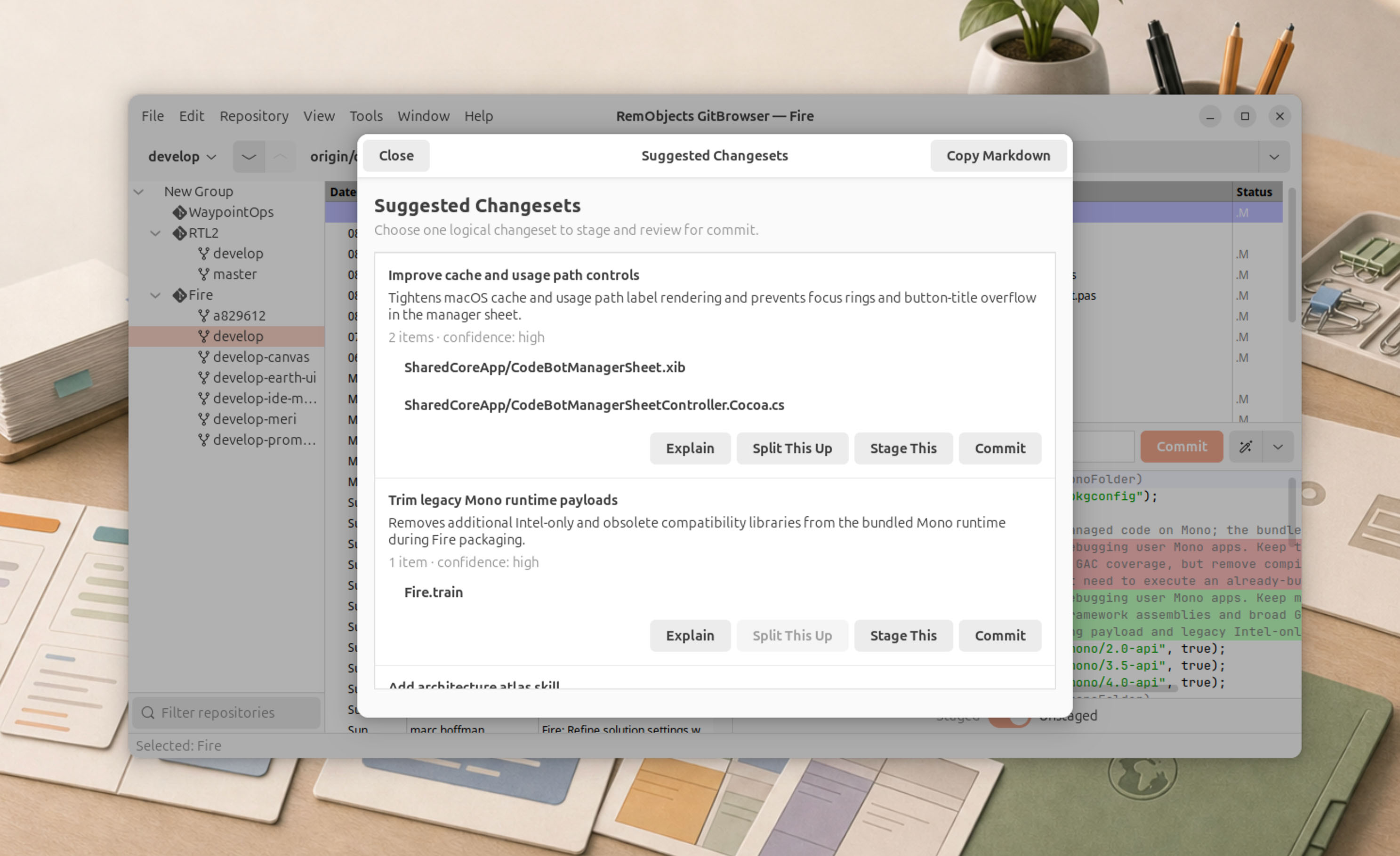
Change Set Analysis
Did too many changes land, and you need to sort what's what? Don't worry. CodeBot will analyze your local chages and divide them into logical groups per feature or bugfix.
Even within individual files.
Code Explanation
Need a detailed explanation of whats going on?
CodeBot can review your local changes, a subsetl, or any previous commit and give you a detailed explanation of the code.
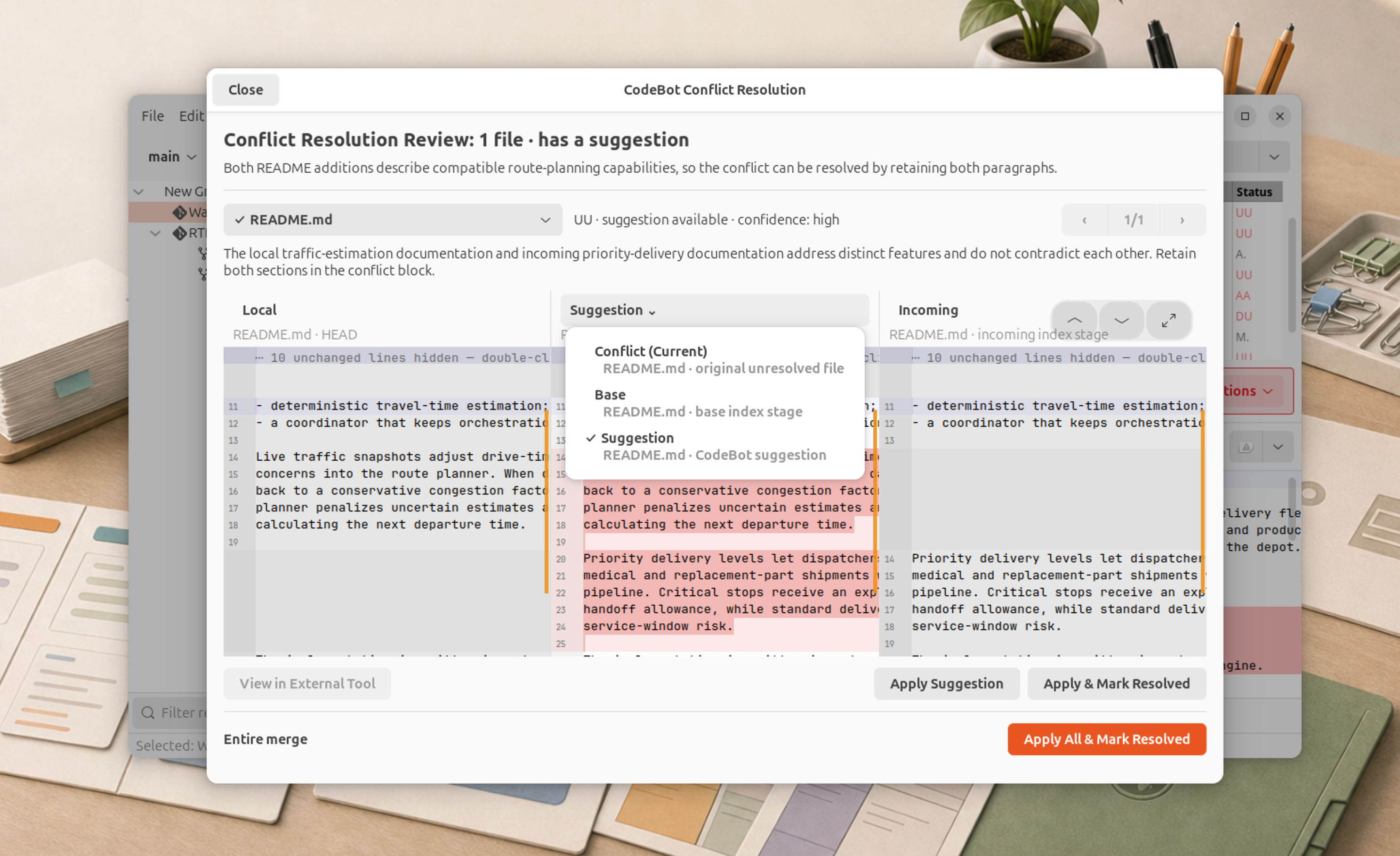
Conflict Resolution
The impossible happeend, and your merge failed with conflicts. What now?
CodeBot can guide you thru the merge process and, in most cases, solve conflicts for you.
GitBrowser on Other Platforms