Use the Delphi libraries you already depend on
Island/Delphi lets Elements projects call into compiled Delphi packages. You can use the Delphi RTL, build Windows desktop apps with VCL, and use FireMonkey on supported targets. You can also reference your own packages and third-party components built for the Delphi version and platform you target.
Bring an existing Delphi project
Fire, Water, and Earth can import Delphi projects and groups into Elements. The import can convert Delphi source to Oxygene and carry over existing forms.
Start using advanced Oxygene language features in your code as you move forward. Or even add code in any other Elements language, such as C#, Myth, or even Python.
Create packages for Delphi
Create packages with classes or components written in Elements – including VCL or FireMonkey components – and install them back in the Delphi IDE.
Get started
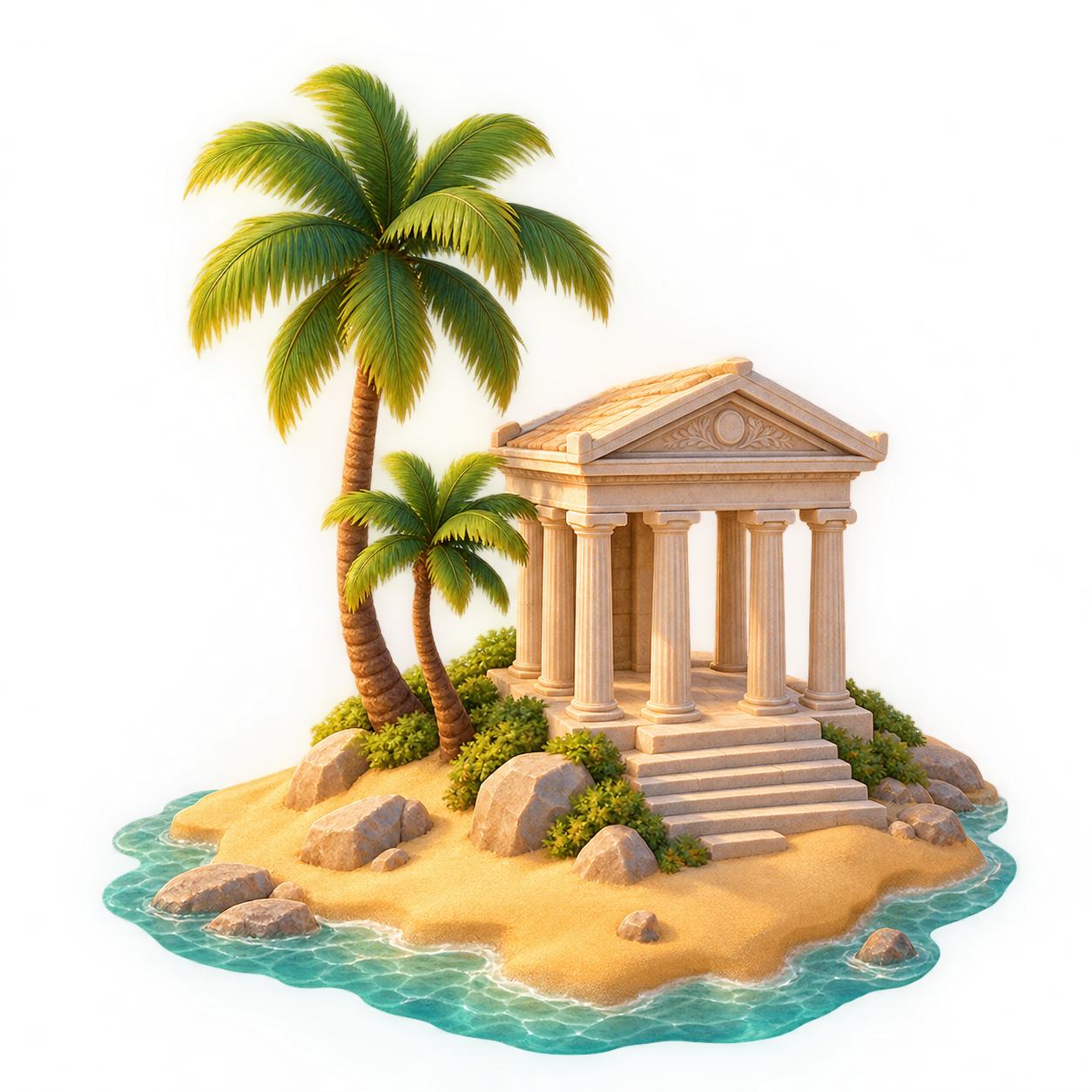
To get started, import the packages from your Delphi installation into Elements via Water's "Tools" menu, or the EBuild command line.
Once done, simply set the "Delphi SDK" setting in any eligible Island project. Or open a Delphi project to import it.
See the Island/Delphi documentation for supported Delphi versions and targets, package import, and form handling.
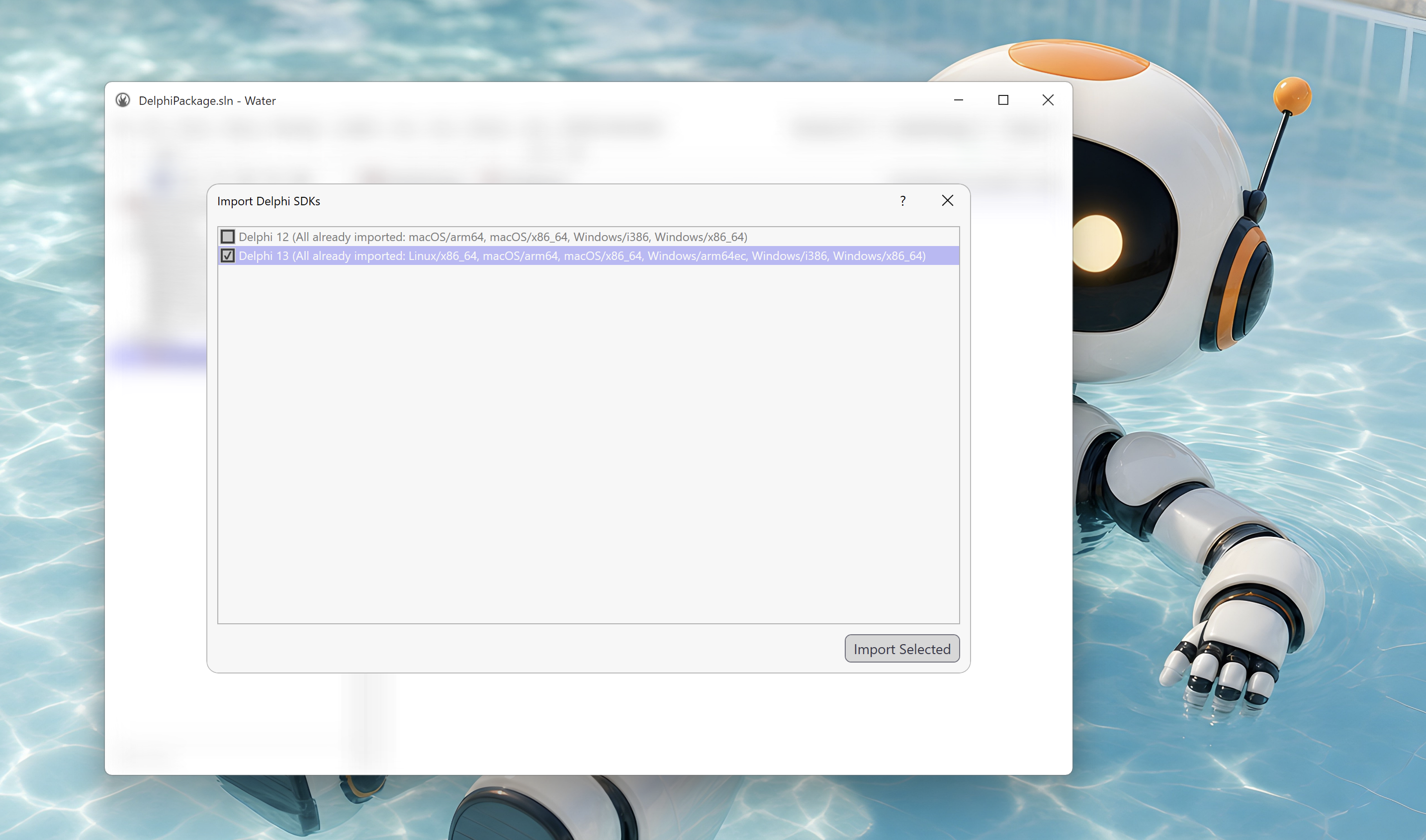
Coming soon: Designers
Coming in early 2027: work on your VCL forms in Water's native embedded Form Designer with Super Palette. The FireMonkey designer will also be available in Fire and Earth, making this the first time you can design your Mac or Linux Delphi apps on your target OS.